Relay Self-initiated Designed & built

Say what's wrong out loud, get a spec

A Chrome extension. Drag a box around a bug on your localhost page, describe it in your own words, and Relay hands your coding agent a folder of written specs and screenshots.

My roleEverything - product definition, UI and the build
Scale13 views · 3 surfaces · 77 files · v0.1.0
StatusWorking build, loads unpacked, end to end
StackReact · TypeScript · Tailwind · Chrome MV3
Relay running as a Chrome extension: a browser window on a localhost app, with the Relay side panel docked to the right and the extension icon lit in the toolbar.

Where it lives. Relay is a Chrome side panel, docked beside the app you're building - here against one of my own localhost projects. You never leave the page you're describing, which is the entire reason it isn't a separate tool.

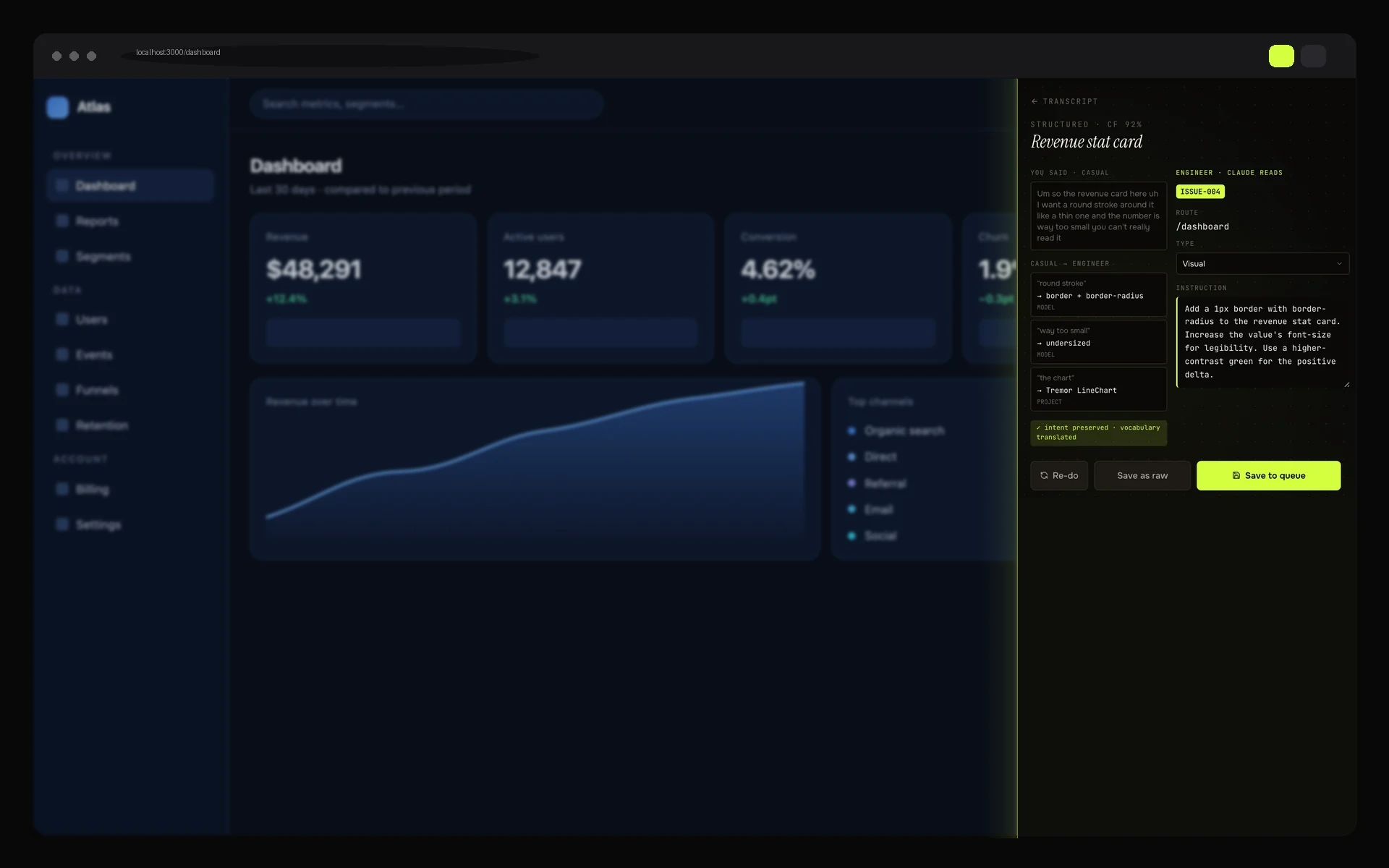
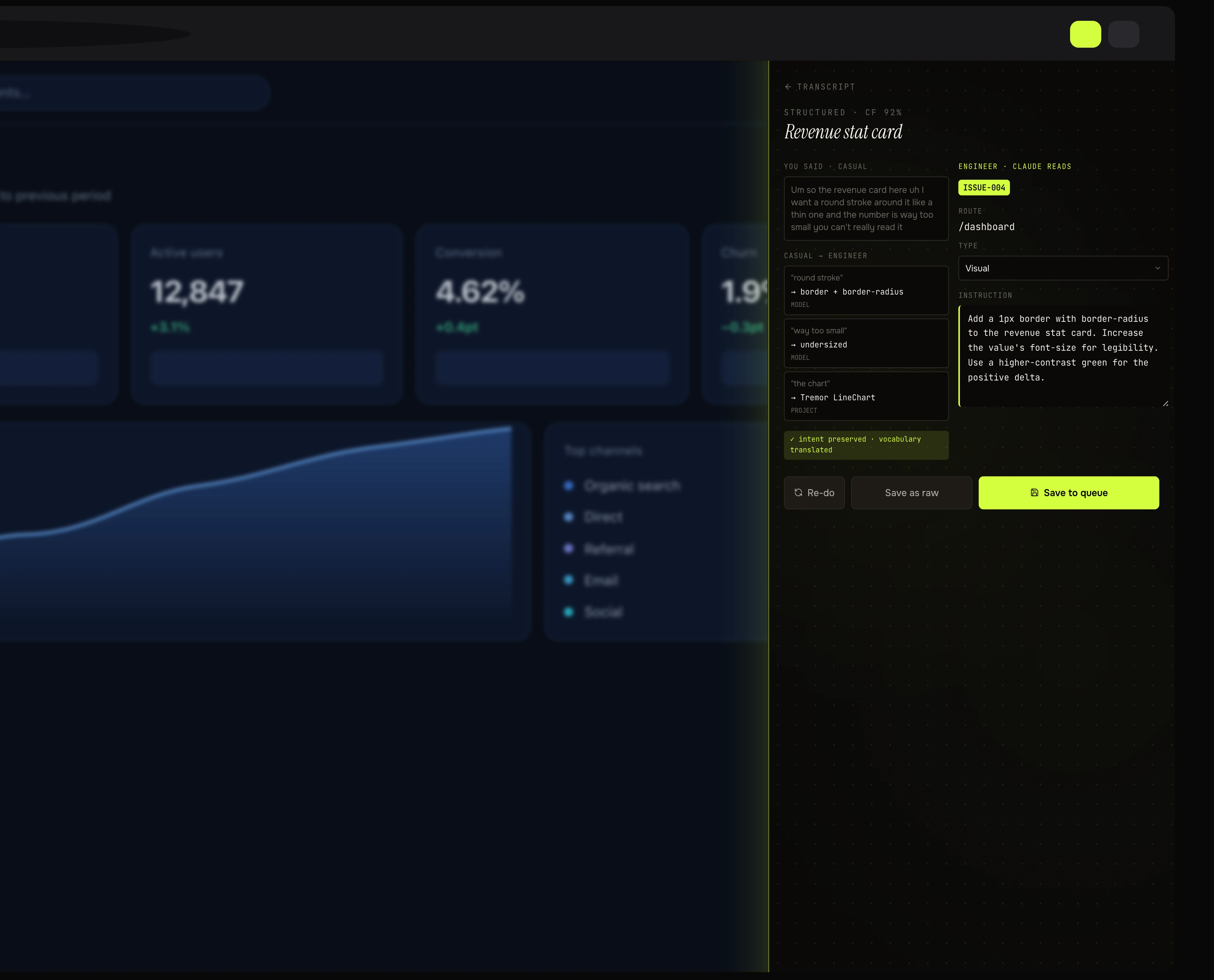
Relay's structured view: the spoken sentence on the left above three casual-to-engineer mapping cards, and the route, type and final engineering instruction on the right.
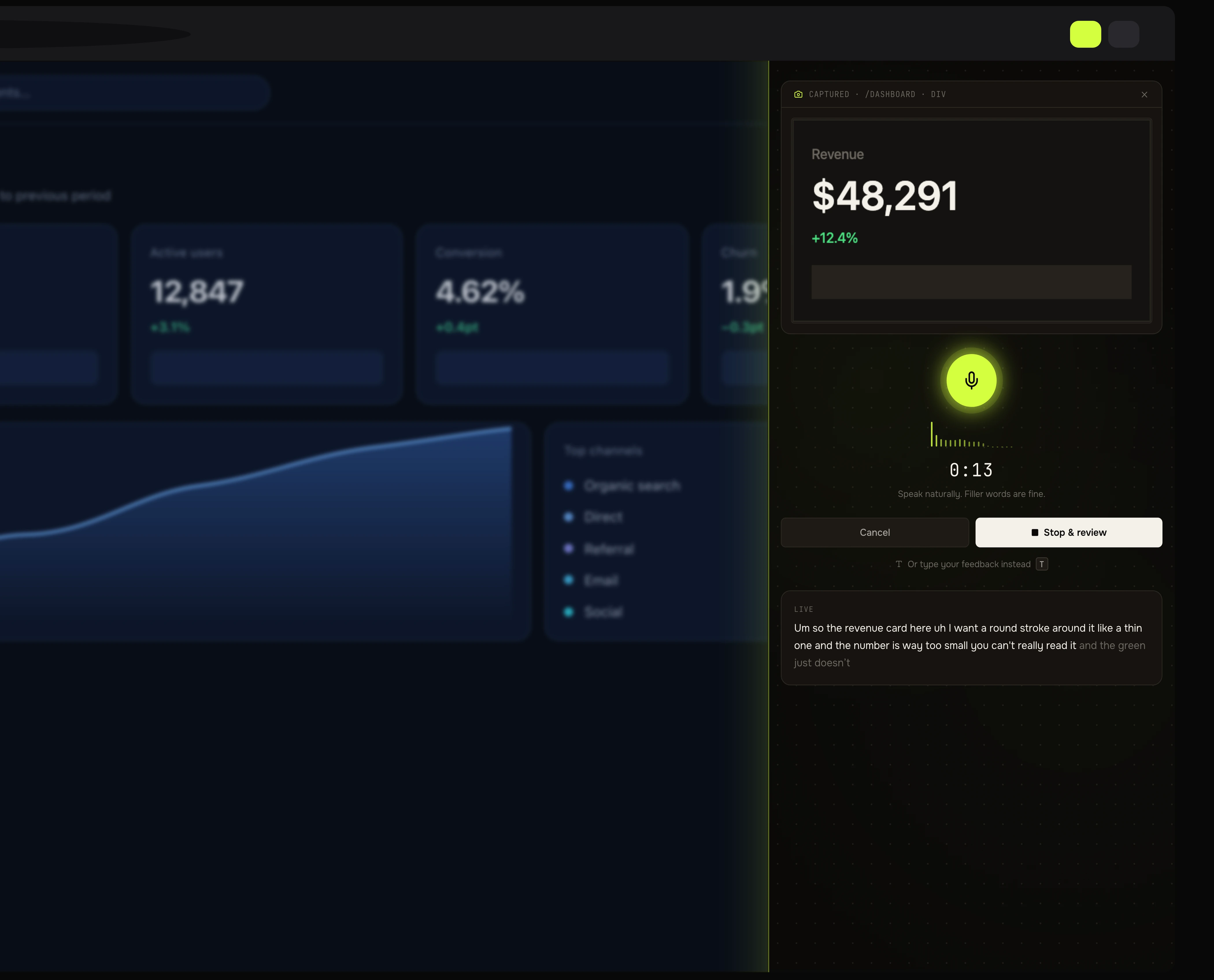
Relay's capture window: the cropped region pinned under a captured header, a glowing microphone, a timer, and the live transcript appearing underneath.

The whole product is one rule: translate the vocabulary, never the meaning. "Round stroke" becomes border + border-radius; "way too small" becomes undersized. Every mapping is shown, labelled with where it came from, and editable - a translation you can't inspect is one you can't trust.

The problem

You spot something wrong on screen, and then the real work starts: screenshot it, switch to the terminal, retype what you meant, re-explain which route and which component. It comes out fuzzy, because "the green doesn't pop" is genuinely how designers think about visual problems. The agent guesses, fixes the wrong thing, and you go round again.

What I decided

  • The capture window is a separate 480×720 popup rather than the side panel, so your eye stays on your own page while you talk about it.
  • Filler words are dimmed in the transcript but never removed from it. "Your exact words" has to stay literally true, or the translation stops being auditable.
  • Export goes through Chrome's downloads instead of the folder picker, because the picker API crashes macOS Chrome. The UI says so rather than hiding the seam.
  • The no-key demo mode is designed to look fake: confidence is pinned at 0.5 so the low-confidence warning lights up. A degraded state dressed as the real thing is a lie.

The trade-off

Going through Chrome downloads means no per-project save folder - every export lands in ~/Downloads. That is worse. I took it because a folder picker that crashes the browser mid-export is much worse, and I wrote the reason into the settings screen so the next person doesn't "fix" it back.

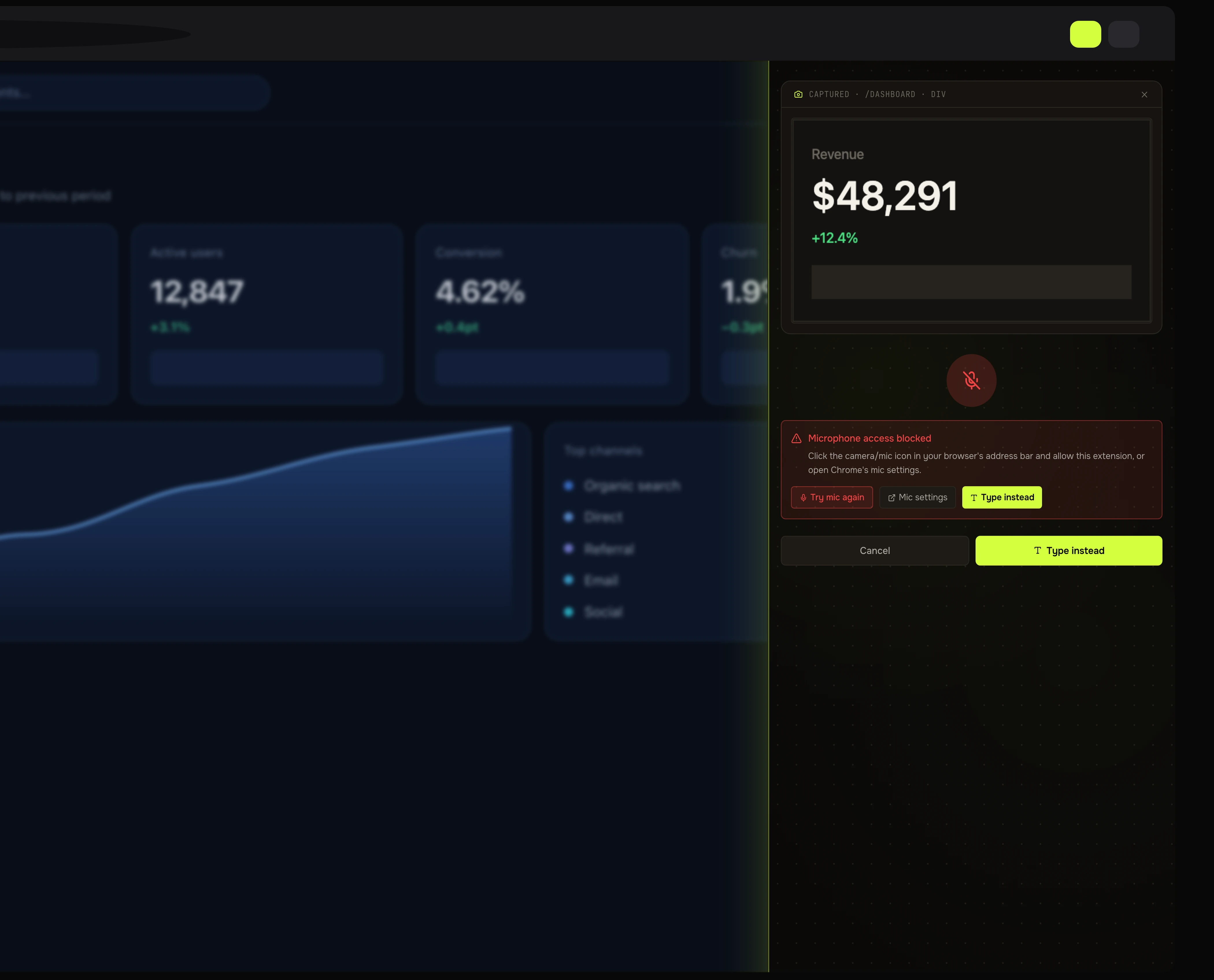
Relay with microphone access blocked: a red mic icon, an explanation of how to unblock it, and three buttons - try mic again, mic settings, and type instead.
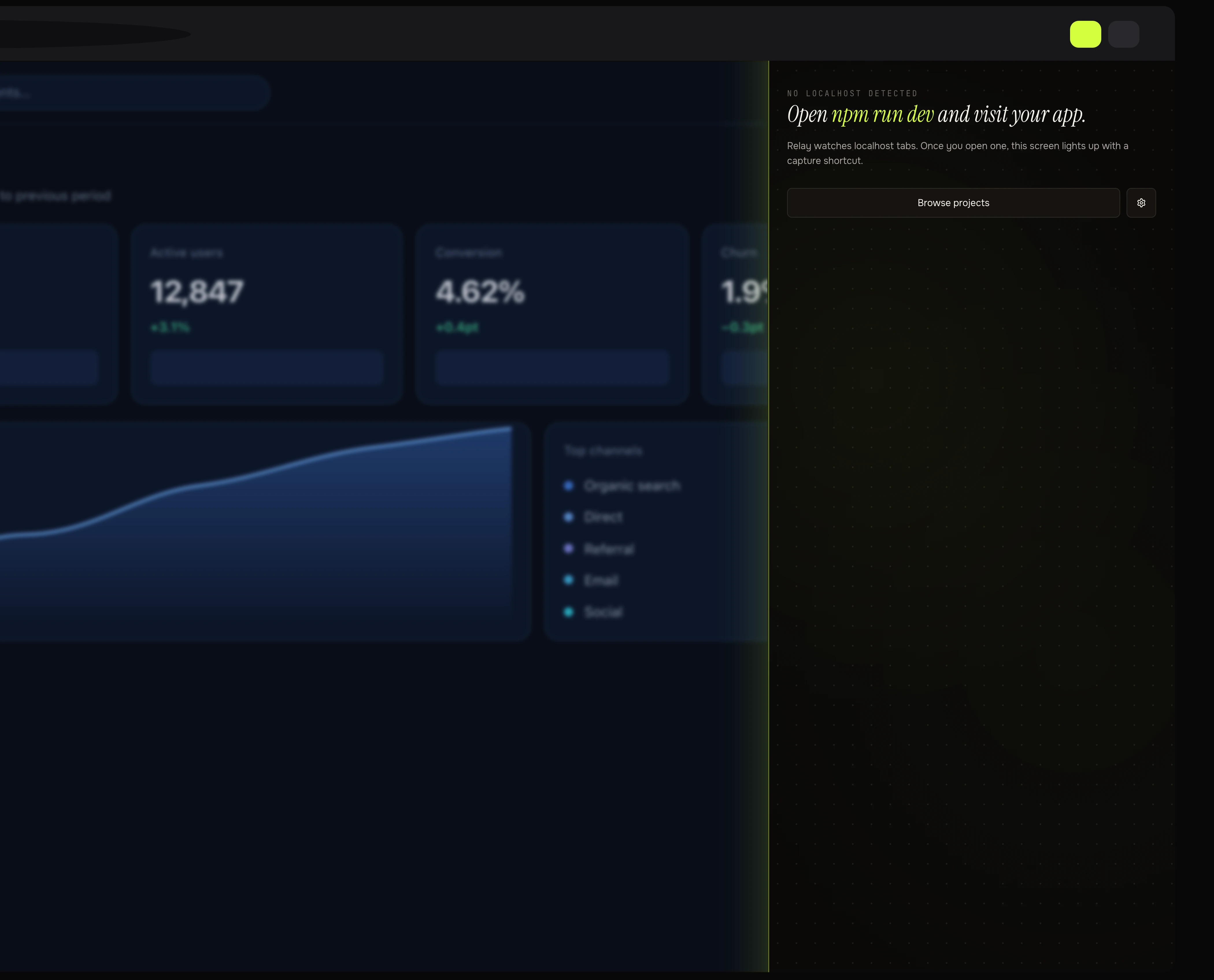
Relay's empty state: no localhost detected, with instructions to run npm run dev and a note that the screen lights up once a localhost tab is open.
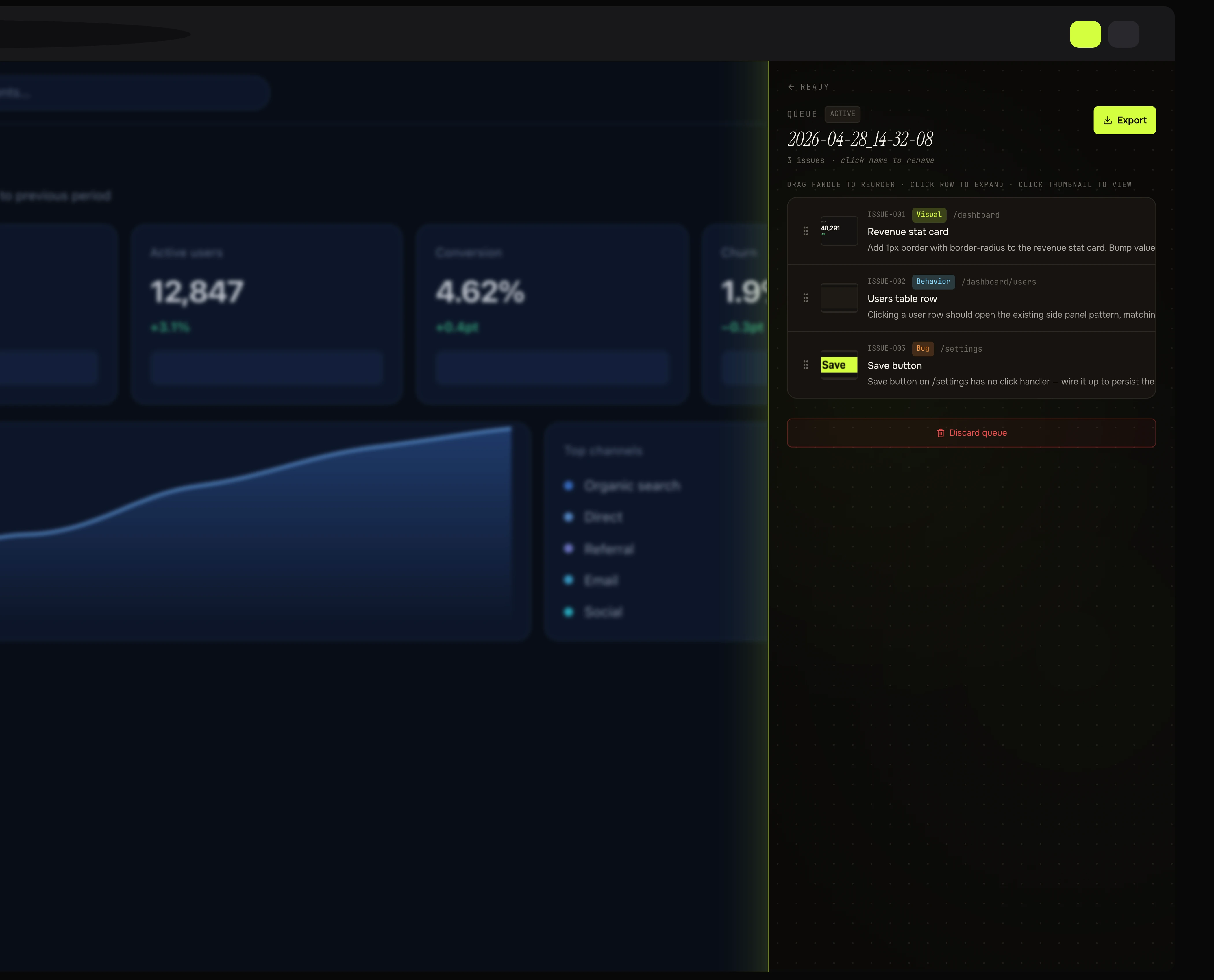
Relay's issue queue: three captured issues tagged Visual, Behavior and Bug, each with a route, a thumbnail and a drag handle.

The states nobody screenshots. Mic denied, no localhost, and a queue mid-edit. Every failure path lands somewhere useful - permission denied, rate limit, budget cap, unparseable response - each with its own words and a way out. The mic-denied screen offers three, because the one thing it must not do is discard the capture you just took.

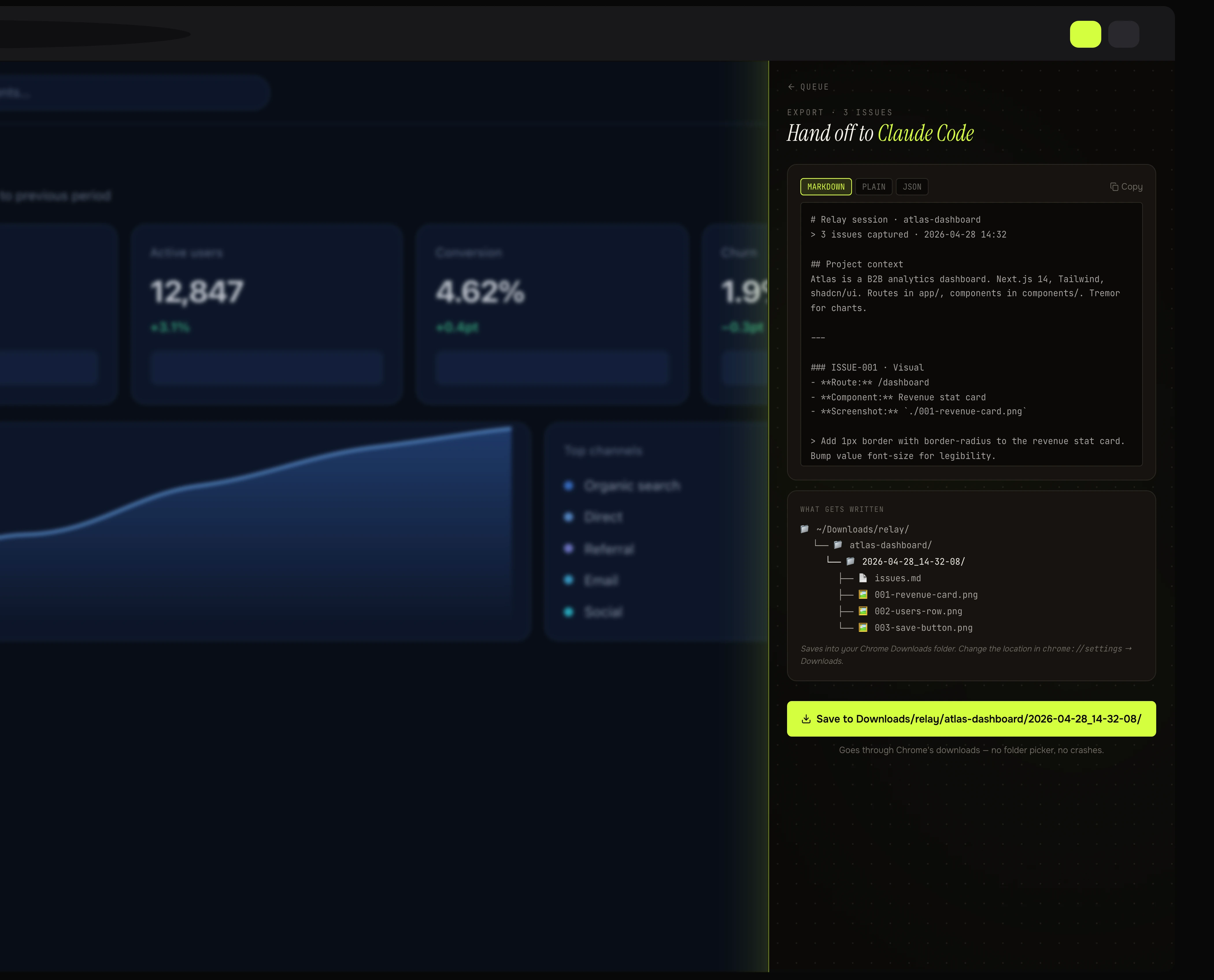
Relay's export screen: markdown, plain and JSON tabs over a live preview, above a card showing the exact folder tree that will be written to disk.
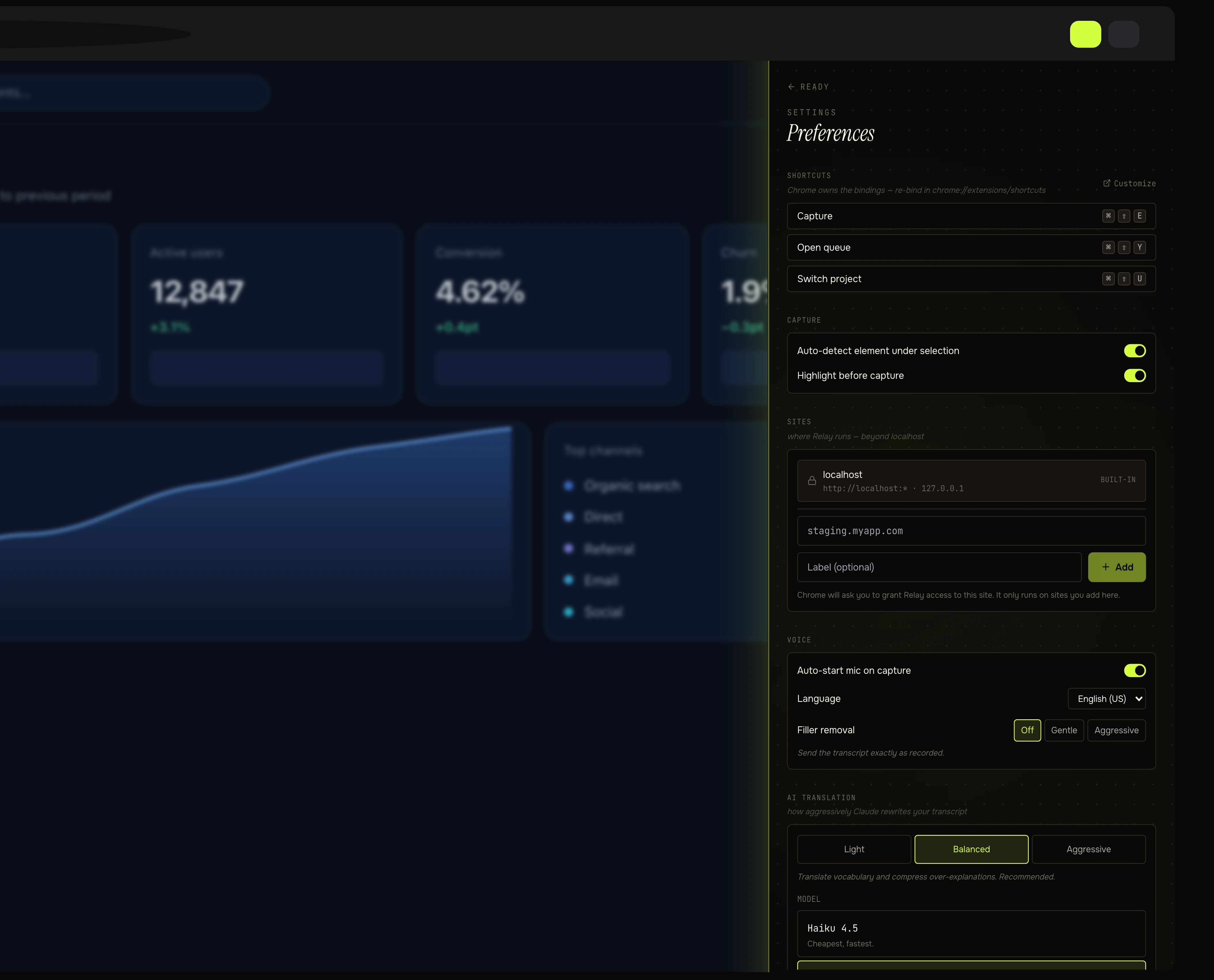
Relay's settings: live keyboard shortcut rows, capture toggles, and a Sites section listing the built-in localhost entry above a form to add another origin.

Show the output before it exists. The export screen renders the literal folder tree about to be written, so the handoff is never a surprise. Settings reads the shortcuts back from Chrome rather than from the manifest - if a binding didn't take after an upgrade, the row says so in red instead of quietly lying.

What the export actually is

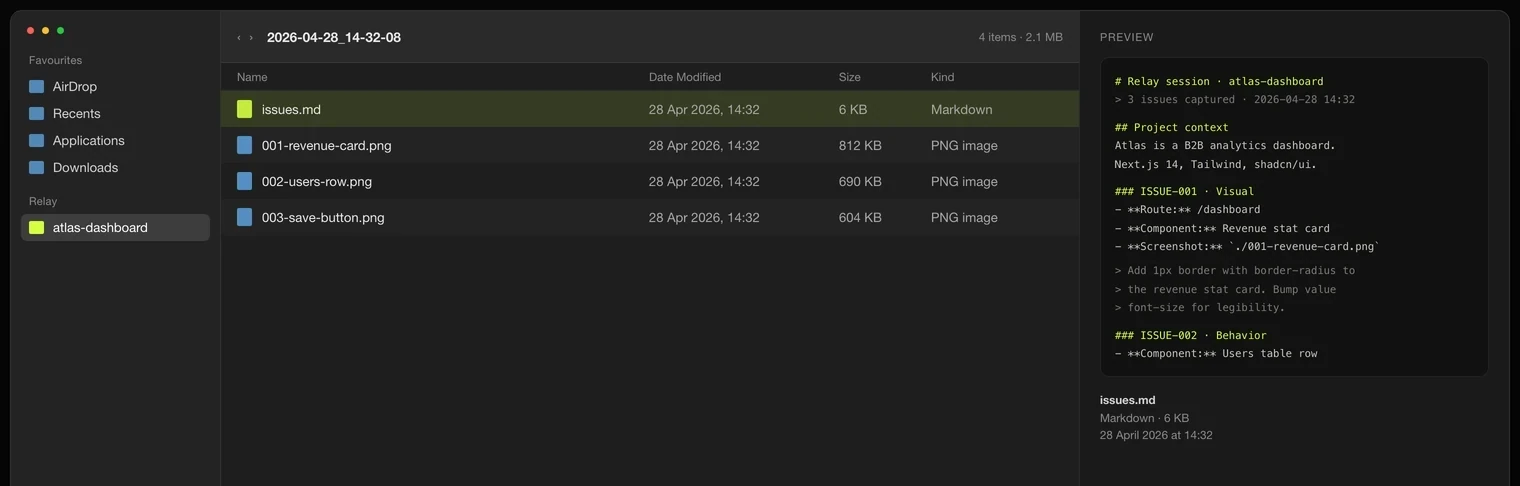
The exported folder open in Finder: issues.md selected with its markdown previewed on the right, above the three numbered PNG screenshots it references.

What actually lands on disk. The folder Relay promised, opened. issues.md is the whole session in one file and the screenshots are numbered to match the issues that reference them - 001-revenue-card.png is the file ISSUE-001 points at. It sorts correctly, it reads without the extension installed, and a year from now it is still just a folder of Markdown and PNGs.

Where the handoff lands

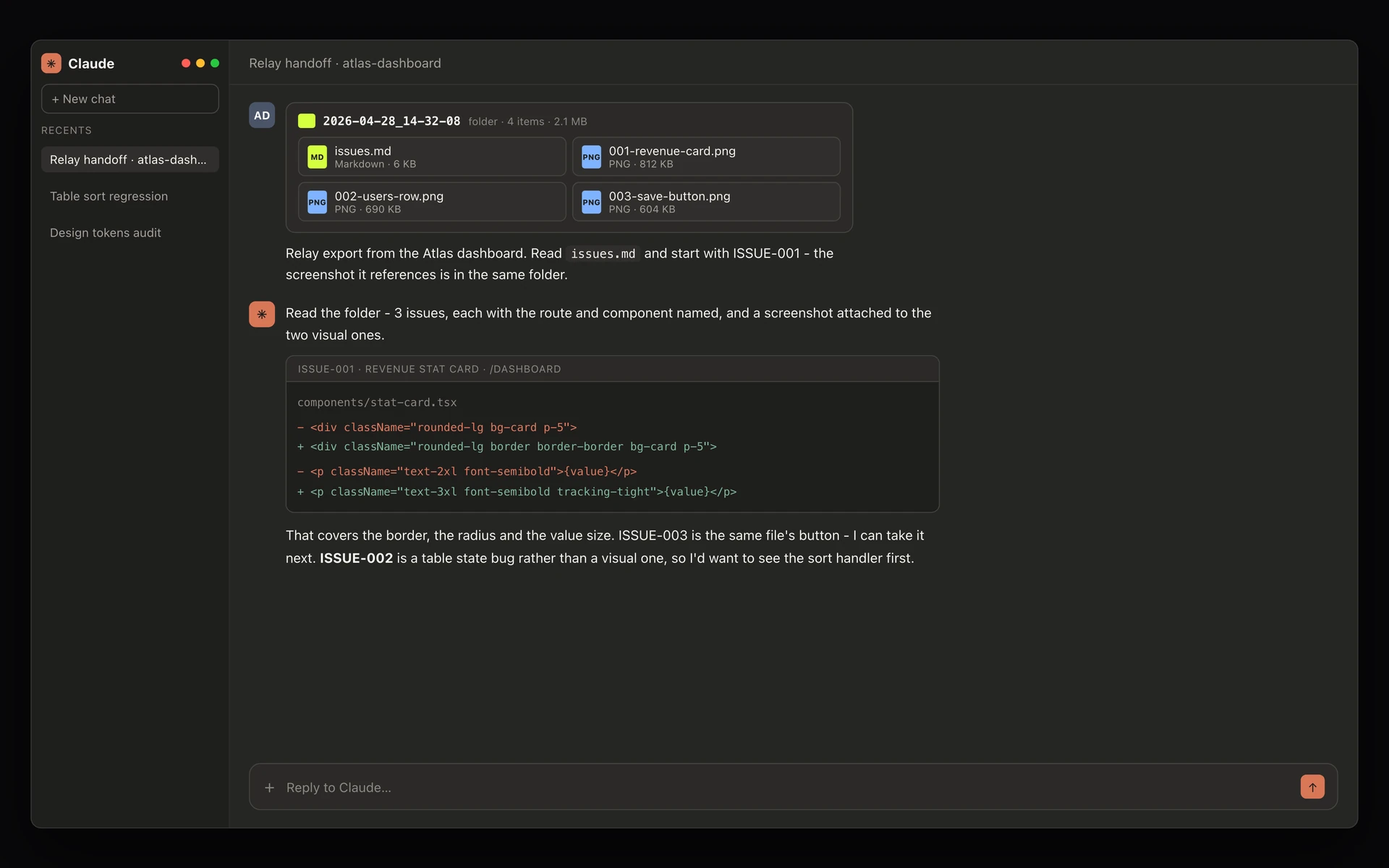
The Relay export opened in Claude: the exported folder attached to the message with issues.md and the three screenshots listed, and Claude replying with a diff for ISSUE-001.
Use it in Claude
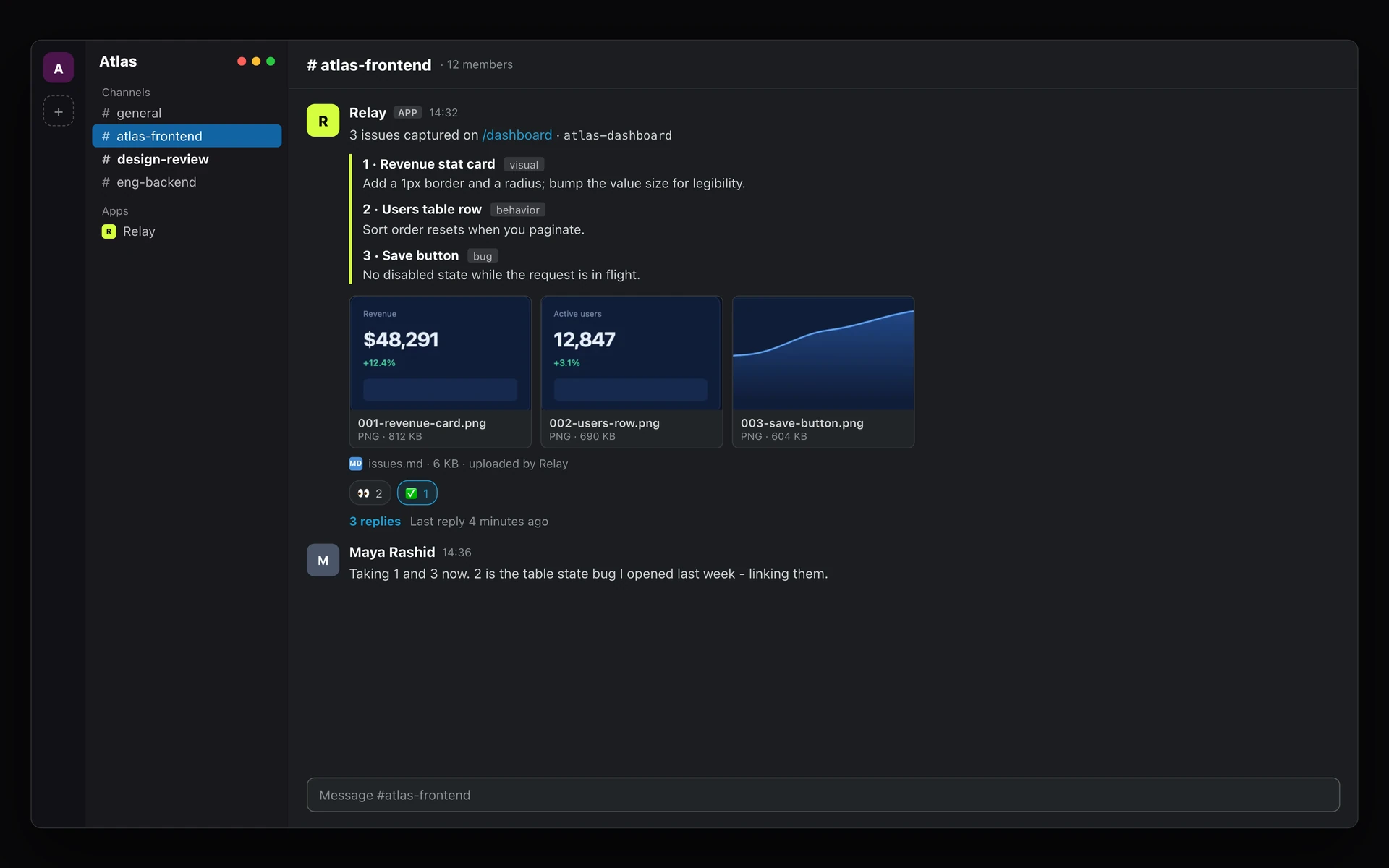
The Relay post as it lands in Slack: a message in #atlas-frontend from the Relay app listing the three issues, with the screenshots uploaded beneath it and a developer replying in thread.
Use it with your team
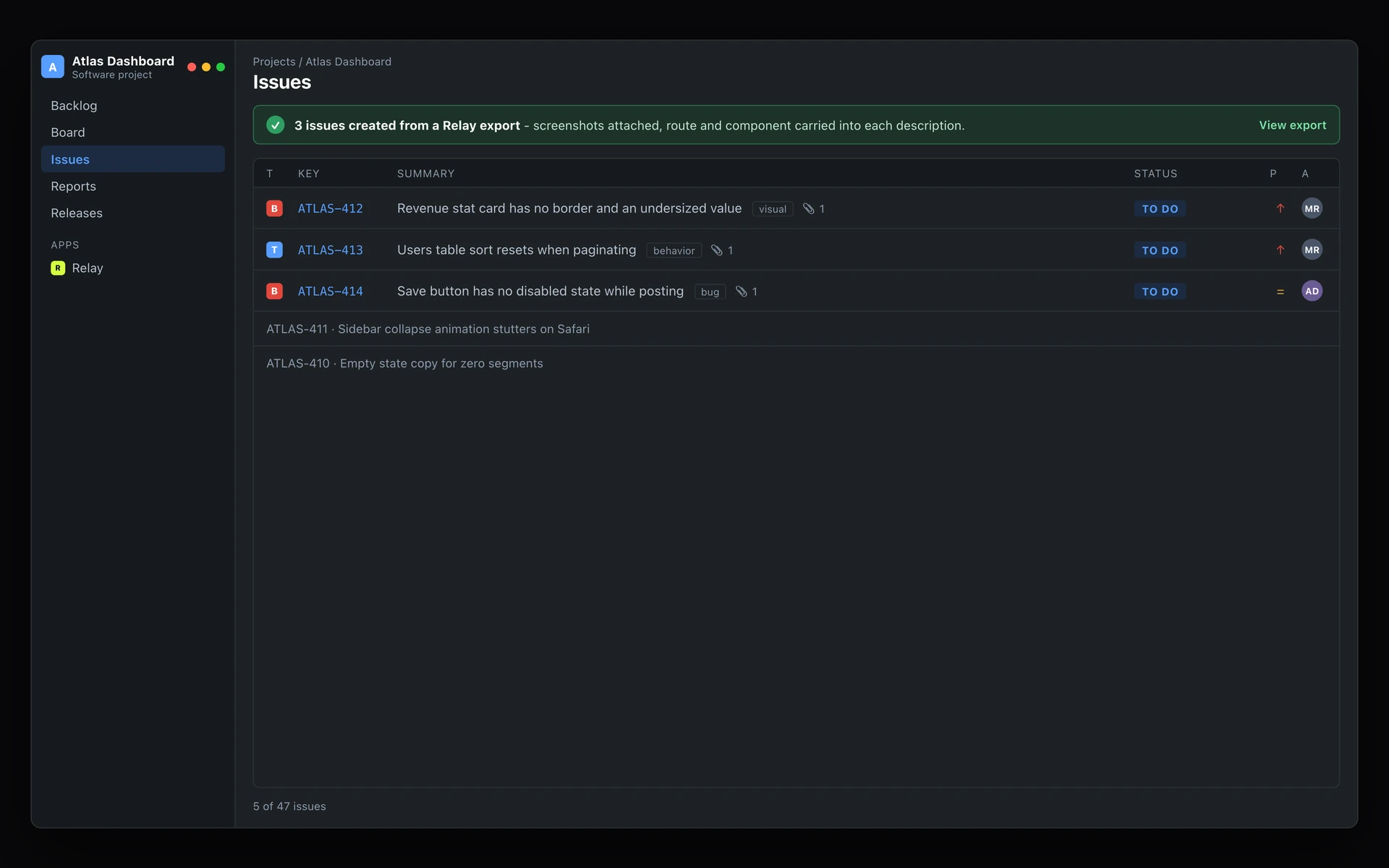
The same export turned into Jira issues: three new tickets in the Atlas Dashboard project, each typed, labelled and carrying its screenshot as an attachment.
Jira, or any ticket system Soon

The same capture, arriving somewhere. These are the destinations, not Relay - the export as it actually lands. Claude gets the folder attached whole, so issues.md and the screenshot each issue references arrive together and it can start on ISSUE-001 without being told where anything is. Slack gets a message a human skims, with the images uploaded under it and a thread for the back-and-forth. Jira gets three typed tickets with the route and component already in the description. The destination changes the shape of the payload, not its contents - which is the whole reason the export is a folder of Markdown and PNGs rather than a proprietary bundle: anything that reads files can be the next destination.